8.5 × 8.5 in KDP picture book template for Canva
- Inside pages at 8.625 × 8.75 in, a right-hand and a left-hand page, with bleed and the safe area marked.
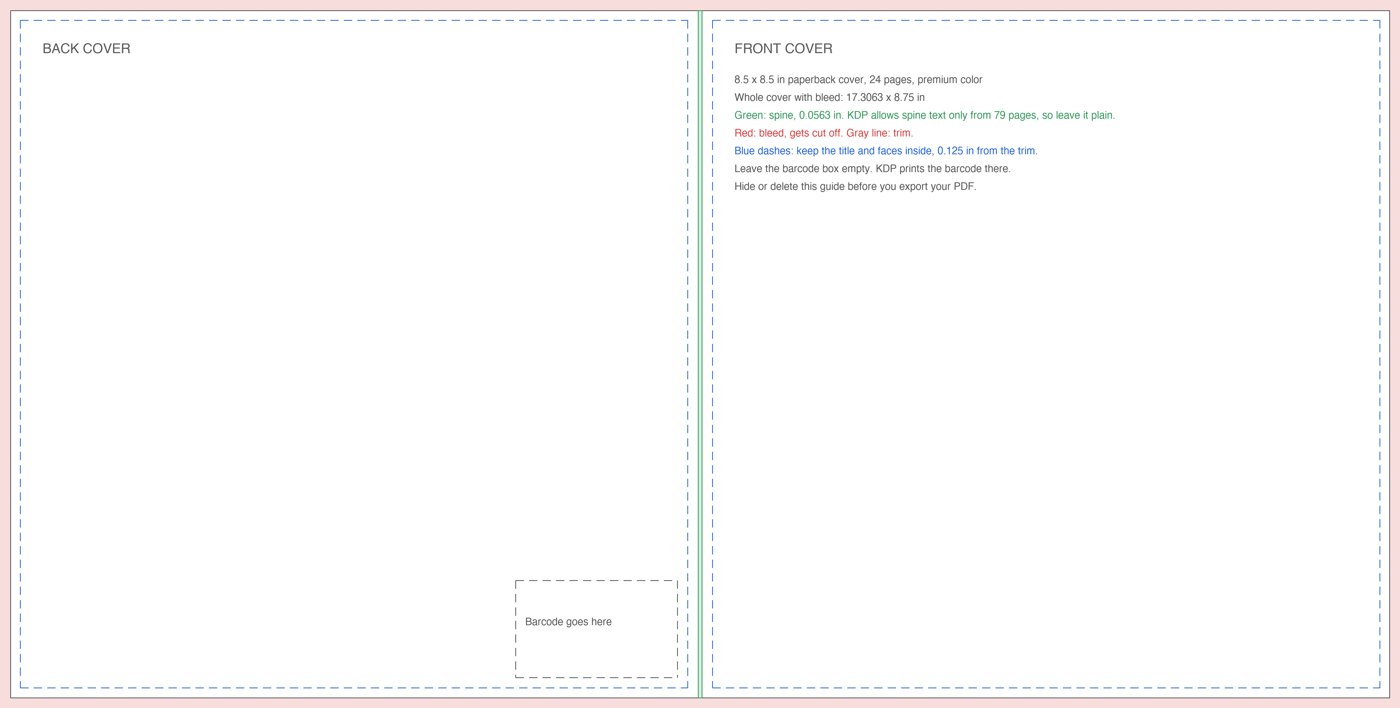
- Covers for 24 and 32 pages, with the spine, the safe area and KDP’s barcode box.
- PDF and PNG. The PNGs are see-through, at 300 dpi, to lay over your design in Canva.
- A short guide to the colors and the KDP settings.
Thank you. Your download should start by itself. Bookmark this page to download it again.
Download the templateOr skip the template: the book maker makes your KDP inside pages and cover free, already the right size.
8.5 × 8.5 in KDP sizes, bleed and spine
- Trim size: 8.5 × 8.5 in, one of KDP’s paperback sizes.
- Inside page with bleed: 8.625 × 8.75 in. The 0.125 in bleed goes on the top, bottom and outside edge, and the spine edge has none.
- Safe area: keep words and faces 0.375 in inside the trim.
- Spine: page count × 0.002347 in on premium color paper, so about 0.056 in for 24 pages and 0.075 in for 32.
- Full cover with bleed: 17.306 × 8.75 in for 24 pages and 17.325 × 8.75 in for 32 pages.
- Barcode: KDP prints it in a 2 × 1.2 in box on the back cover, 0.25 in from the spine and the bottom edge. Leave that space empty.
KDP paperbacks need at least 24 pages. For more on picking a size, see children’s book sizes.
How to use the template in Canva
- In Canva, choose Create a design, then Custom size, in inches. Use 8.625 × 8.75 for inside pages, or the cover size for your page count.
- Upload the PNG guide, stretch it to fill the page, move it to the front and lock it. Use the right-page guide on odd pages and the left-page guide on even pages.
- Lay out your pictures and words. Run pictures into the red bleed and keep words inside the blue dashes.
- Delete the guide from every page, then download as PDF Print. Leave “Crop marks and bleed” unticked, since your page size already includes the bleed.
- In KDP, choose paperback, 8.5 × 8.5 in, bleed and premium color, then upload the inside pages and the cover as two separate PDFs.
Our guide to self-publishing a children’s book on Amazon KDP covers the rest of the steps.
Questions
What size is an 8.5 × 8.5 in KDP picture book page with bleed?
Each inside page is 8.625 × 8.75 in. KDP adds 0.125 in of bleed to the top, bottom and outside edge, and none to the spine edge.
How wide is the spine on a 24 or 32 page picture book?
On KDP's premium color paper the spine is the page count times 0.002347 in: about 0.056 in for 24 pages and 0.075 in for 32 pages.
Can I put the title on the spine?
Not on a picture book. KDP allows spine text only from 79 pages, so a 24 or 32 page book has a plain spine.
Does the template work in Canva?
Yes. The PNG guides are see-through at 300 dpi, so you can lay them over your Canva design and delete them before you download.
Can I use the template for more than one book?
Yes, for any of your own books at this size. Please don't resell or share the files.
Is there a free way to make KDP files?
Yes. The makeabook.fun book maker makes the inside pages and the cover for KDP for free, already the right size, with the spine worked out from your page count.