Publishing basics
How to Self-Publish a Children's Book on Amazon KDP
Seeing your children's book as a real paperback, with a spine and your name on the cover, is a wonderful moment. Amazon KDP makes it possible without a publisher or a print run. This is a clear, high-level overview of how self-publishing a children's book on Amazon works, what your files need, and where to get help with the details.
What is Amazon KDP?
KDP stands for Kindle Direct Publishing. It's Amazon's self-publishing service, and despite the name, it handles paperbacks as well as Kindle ebooks.
Paperbacks on KDP are printed on demand. You upload two files, the inside pages and the cover, and Amazon prints a copy when one is ordered. That means you don't need to buy boxes of books or store them in your closet.
For picture books, most people start with a paperback, since the pictures and page layout are the heart of the book.
What you need before you start
Before you open KDP, get these pieces ready. Having them sorted makes the upload part much calmer.
- A finished story. Read it aloud a few times and fix anything that trips you up.
- Finished pictures. Drawings, photos or other art, as sharp as you can get them. KDP needs 300 dpi images for sharp print. If you can't draw, see how to illustrate a children's book without drawing.
- A trim size. The finished size of your book, chosen from KDP's list of paperback sizes.
- An interior file. All the inside pages, laid out at your trim size.
- A cover file. One wraparound image: back cover, spine and front cover together.
- Your book details. Title, subtitle if you have one, author name and a short description.
Paperback basics for picture books
Trim size
Trim size is the size of the book after it's cut. Picture books come in square, tall, wide and large shapes. If you're unsure which to pick, our guide to children's book sizes walks through the choices.
Bleed
If your pictures run all the way to the edge of the page, which they usually do in picture books, you need bleed. That's 0.125 in of extra picture past the trim line, so nothing white peeks through after cutting.
Margins
Keep your words about 0.375 to 0.5 in inside the trim. Text too close to the edge can get cut off or disappear toward the spine.
Page count
KDP paperbacks need at least 24 pages. Picture books are commonly 24 or 32 pages. A title page, a dedication page and maybe a page about the author can help a shorter story reach the minimum.
Cover and spine
A paperback cover is one wide file that wraps around the book. The spine sits in the middle, and its width depends on how many pages the book has. Change the page count and the spine width changes too, so finish your pages before you finalize the cover.
Do you need an ISBN?
An ISBN is the number that identifies a specific edition of a book. Paperbacks need one, but you don't have to buy it: KDP can provide a free ISBN for your paperback. Some authors prefer to buy their own instead.
The publishing process, step by step (the big picture)
Here's the overall shape of publishing a children's paperback on KDP. Each step has its own screen and settings on KDP, which we won't reproduce here.
- Finish the book. Story, pictures, title page, dedication and back cover blurb.
- Make your files. An interior PDF with bleed at your trim size, and a wraparound cover sized for your page count.
- Set up the paperback on KDP. Enter your title, author name, description and other book details.
- Choose your ISBN and print options. This is where trim size, bleed and paper choices are set.
- Upload your interior and cover.
- Check everything in the previewer. KDP has a preview tool that shows your book page by page and flags problems like text too close to the edge.
- Order a proof. Holding a printed copy is the best way to catch small issues before anyone else sees them.
- Publish, or order author copies. Publish when you're happy, and order author copies at printing cost whenever you like.
Punita Rice's book Write & Self-Publish a Children's Book in 7 Days covers every KDP screen and setting in detail, from uploading to ordering author copies, along with writing, art and cover design. The free 7-day guide is a good place to start.
Proofs and author copies
Don't skip the proof. Colors on paper can look different from colors on a screen, and a picture that seemed sharp may look soft in print. Flip through the proof slowly, read it aloud, and check the cover and spine.
Author copies are ordered at printing cost. They're handy for gifts for grandparents, a copy for your child's classroom, or a stack for a family reunion.
Can you publish a book just for your family?
Many parents use KDP mainly to get a few real paperbacks of a book they made for their own child. That works. Once your book is set up, you can order author copies without promoting the book or telling anyone else it exists.
Be aware that books on KDP aren't fully private. If you'd rather keep a book entirely within your family, printing at home is the simplest route. Our guide on how to print a picture book at home covers paper, settings and binding.
How makeabook.fun helps with KDP
You can make your whole book in the free maker, in your browser, with no sign-up. Then download free Amazon KDP files:
- Inside pages with 0.125 in bleed, padded to KDP's 24-page minimum.
- A wraparound cover with the spine width calculated from your page count.
- KDP trim sizes built in. Square 8.5 × 8.5 in, Tall 8 × 10 in, Wide 10 × 8 in and Big 8.5 × 11 in all match KDP paperback trim sizes.
- Pages that fill themselves in. The title page and a dedication page with a copyright line are created for you.
Your book saves in your browser on that device, and nothing is uploaded to us. Before you upload anything to KDP, flip through the whole book in the reader one last time.
Ready to begin? Open the maker, or start with "A story about them" if you'd like prompts that make your child the hero.
Questions parents ask
What is Amazon KDP?
KDP, short for Kindle Direct Publishing, is Amazon's self-publishing service. You upload your book's files, and paperbacks are printed when they're ordered, so you don't need to buy a stack of books up front.
How many pages does a children's book need for KDP?
KDP paperbacks need at least 24 pages. Picture books are commonly 24 or 32 pages, so a short picture book may need a few extra pages, such as a title page or dedication, to reach the minimum.
Do I need to buy an ISBN to publish on KDP?
No. KDP can provide a free ISBN for your paperback. Some authors choose to buy their own instead.
Can I order copies of my book just for my family?
Yes. Once your paperback is set up on KDP, you can order author copies at printing cost. Books on KDP aren't fully private, but you don't have to promote yours if it's mainly for family.
Does makeabook.fun create files for KDP?
Yes, for free. You get inside pages with 0.125 in bleed, padded to KDP's 24-page minimum, and a wraparound cover with the spine width calculated from your page count.
Ready to make yours?
Free, right in your browser. Pick a story starter, add pictures, and print it at home.
Make your book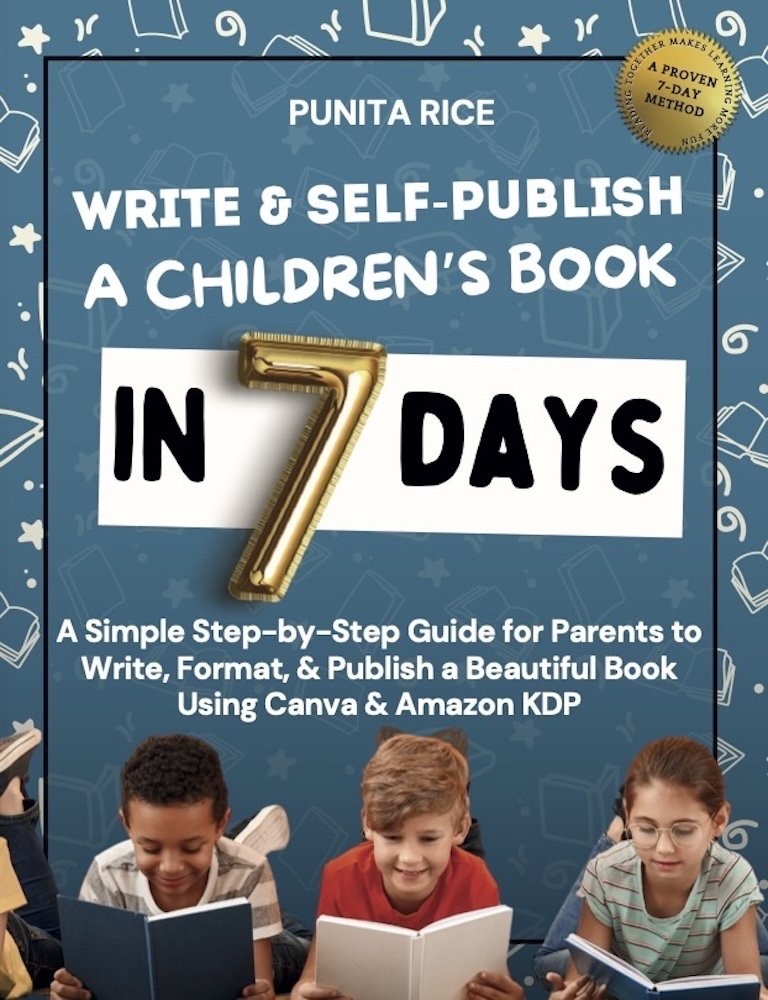
Write & Self-Publish a Children’s Book in 7 Days walks you through every step, including Amazon KDP. ★★★★★ 5.0 on Amazon.
Get the book →