Art without drawing
How to Illustrate a Children's Book Without Drawing
You have a story in your head and no confidence with a pencil. Good news: plenty of wonderful picture books are illustrated by people who would never call themselves artists. Here are the practical ways to illustrate a children's book without drawing, how to keep the pictures looking like one book, and what you need to know about image quality before you print.
Can you really make a picture book if you can't draw?
Yes. A picture book needs pictures that help tell the story, not pictures that win prizes. Children care much more about seeing their dog, their bedroom or their own scribbled dragon than about perfect lines.
The trick is choosing one approach that suits your story and sticking with it. A book about a real day out wants photos. A made-up adventure about a sock monster might want your child's drawings or cut-paper shapes. Pick the method first, then plan the pages around it.
Option 1: Use your child's drawings
This is often the easiest and most charming choice. Your child draws the pictures, you write the words, and the book belongs to both of you.
- Ask for one drawing per page, or let them draw freely and build a story from what they make.
- Photograph each drawing flat, in good daylight, with no shadows across the paper.
- Write a line under each picture that tells the story or describes what they drew.
In the maker, the "Their drawings" starter lets you upload a stack of photos at once and puts a line of text under each. Tall pictures like drawings are shown whole automatically, so nothing gets cropped off. For a full walkthrough, see our guide to turning kids' drawings into a book.
Option 2: Use photos, real or staged
Photos are perfect for true stories: a first day of school, a new baby, a trip to the dentist. Snap the real places and people, then put them in order.
For made-up stories, try staging scenes with toys. A stuffed bear can climb a pile of couch cushions, sail a bathtub sea, or hide behind a houseplant jungle. A few tips:
- Shoot near a window. Soft daylight beats a flash almost every time.
- Get down low. Photographing toys at their eye level makes the scene feel like their world.
- Keep the background simple. A plain blanket or wall helps the character stand out.
- Use the same toys throughout. Readers need to recognize the hero on every page.
Once a photo is on the page, you can drag to reposition it and zoom in, so you don't have to frame every shot perfectly.
Option 3: Simple shapes and collage
You don't need to draw a convincing cat. A circle, two triangle ears and a curly tail cut from colored paper reads as "cat" to any child. Collage is forgiving, fun to make together, and has a bold look that suits picture books.
- Gather colored paper, old magazines, fabric scraps, buttons and glue.
- Cut simple shapes for each character and keep the pieces so you can reuse them on later pages.
- Arrange each scene on a sheet of plain paper or card.
- Photograph it from straight above, in even light.
- Upload the photos and add your words.
Option 4: Simple doodles on the drawing pad
If you can draw a smiley face, a sun or a squiggly line, that may be enough. The maker has a built-in drawing pad where you can draw with a finger, mouse or stylus. You can also draw over a photo, which opens up some easy ideas:
- Add a speech bubble or a crown to a photo of your child.
- Draw rain, stars or hearts over a picture to show a mood.
- Circle or point to something you want the reader to notice.
A "just words" page with a bold page color can also carry a quiet moment in the story with no picture at all.
Option 5: Free stock images (check the license)
Free stock photo and illustration sites can fill gaps, especially for backgrounds like a sky, a forest or a city street. Each site has its own license, though. Before you use an image, check:
- Whether it can be used in a printed book, and in a book you sell.
- Whether you need to credit the creator.
- Whether there are limits on images showing recognizable people or brands.
If the terms aren't clear, choose a different image. Mixing many stock images from different artists can also make a book look patchy, so use them sparingly.
Option 6: Hire an illustrator
If you plan to publish and want a polished, consistent look, hiring an illustrator is a real option. Ask to see their past work, agree in writing on what you're getting (how many images, sizes, deadlines and revisions), and be clear about who owns the art and how you can use it. Give them the trim size and tell them if pictures need to run to the edge of the page.
What about AI image tools?
AI image tools exist, and some people use them for book art. If you're considering one, read its terms carefully, especially what they say about ownership and commercial use, and be thoughtful about how the images are made. Also check that the results stay consistent: a character who changes face from page to page will confuse young readers.
How to keep the art consistent
Whatever method you choose, consistency is what makes a stack of pictures feel like a book.
- One main style. Mostly photos, mostly drawings, or mostly collage. A single surprise page is fine; a mix on every page is hard to follow.
- The same hero. Same toy, same outfit, same colors for your main character.
- Similar light and backgrounds. Photos taken in the same room at the same time of day sit together nicely.
- Consistent layouts. The maker has six page layouts. Choosing one or two for most pages, such as picture with words below, keeps the rhythm steady.
- A shared color palette. Matching page and lettering colors across the book ties different pictures together.
Image resolution for print
Pictures that look fine on a phone can look soft on paper. If you're publishing a paperback on Amazon KDP, it needs 300 dpi images for sharp print. In practice, that means using the original, full-size photos rather than screenshots or images saved from messaging apps, which are often shrunk.
For a book printed at home, the clearest photos you have will usually look good. If a picture is blurry on screen when you zoom in, it will be blurry in print too, so retake it if you can. For paper and printer settings, see how to print a picture book at home.
Going further
If you're thinking about publishing, Punita Rice's book Write & Self-Publish a Children's Book in 7 Days covers art options in detail, including free ones and using a child's art. The free 7-day guide is a good place to start.
Or simply pick the approach that feels easiest today, gather a few pictures, and open the maker. Your child won't be judging the artwork. They'll be looking for themselves on the page.
Questions parents ask
Can I make a children's book if I can't draw?
Yes. You can use your child's drawings, photos of real places or toys, simple shapes and collage, licensed stock images, or work with an illustrator. Many lovely homemade books never involve a single drawing by the parent.
Can I use photos as illustrations in a picture book?
Yes. Photos of your child, your home, or toys staged as characters work well, especially for books about real events. Use the clearest, best-lit photos you have, and keep the style consistent from page to page.
What resolution do children's book illustrations need for print?
Amazon KDP needs 300 dpi images for sharp print. For a book printed at home, the sharpest photos you have will usually look fine, but blurry or tiny images will look blurry on paper too.
Can I use free images from the internet in my book?
Only if the license allows it. Free stock image sites each have their own terms, so check whether the image can be used in a printed or sold book and whether credit is required.
Can I use AI image tools to illustrate a children's book?
AI image tools exist, and some people use them. If you do, read the tool's terms about ownership and commercial use, and be thoughtful about how the images are made and how they fit your story.
Ready to make yours?
Free, right in your browser. Pick a story starter, add pictures, and print it at home.
Start with their drawings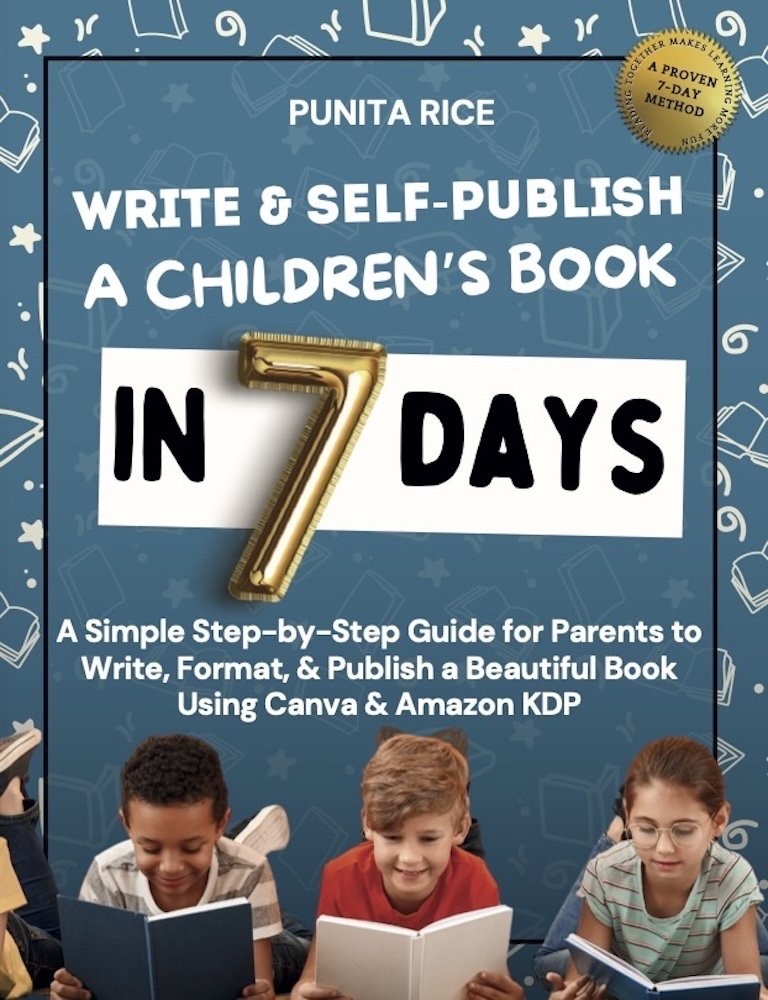
Write & Self-Publish a Children’s Book in 7 Days walks you through every step, including Amazon KDP. ★★★★★ 5.0 on Amazon.
Get the book →